Terabox
TeraBox for Windows is the desktop client of Flextech's cloud storage service, used to upload, back up and download files from your PC.
157.9 MB

MEGASync is Mega Limited's desktop app that syncs folders on your PC with MEGA cloud storage. This page covers version 6.6.2.0 for Windows.
Average 0.0 · ratings: 0
Thank you! Your rating is saved; you can change it. Could not save the rating. Please try again later. Too many ratings from your network today. Please try again tomorrow. The average appears after 5 ratings.
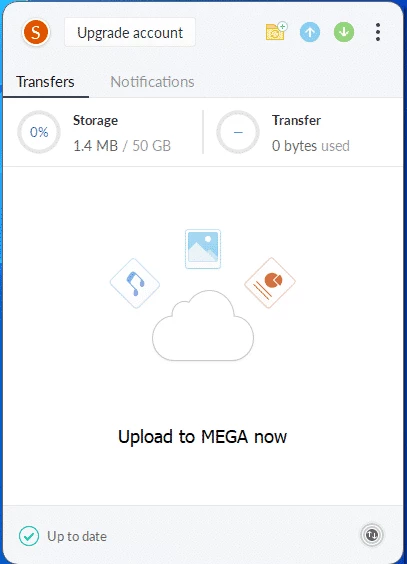
MEGASync 6.6.2.0 for Windows, also called the MEGA Desktop App, keeps folders on your PC in sync with your MEGA cloud storage. It is free to download from mega.io and works with free and paid MEGA accounts; below we look at who gets the most from it and how to set it up.
MEGA is a cloud storage service from Mega Limited, and MEGASync is its bridge to the Windows desktop. After you sign in, you choose folders on your computer and link them to folders in the cloud. From then on, any file you add, edit or delete on one side is updated on the other, and the same data appears on your other computers and phone. The app sits in the notification area, shows transfer progress and lets you upload or download files without opening a browser. Large uploads continue in the background, which is handy for big photo libraries, video projects or backups. MEGA is known for encrypting files on your device before they leave it, so the password and recovery key matter more than with many other services. The desktop app is available for Windows, macOS and the major Linux distributions, and its source code is published by MEGA for anyone who wants to build it.
If you only upload a file now and then, the web version is enough. Users who already pay for another cloud service, or whose company requires one, will be better served by that provider's sync app.
See the official system requirements.
MEGA also explains how to update to the latest version.
Download the app only from mega.io. Turn on two-factor authentication. Remember that sync mirrors deletions, so keep a separate backup of irreplaceable files.
Other storage and backup tools in our listings: Google Drive and Terabox for cloud storage, and 7-Zip or WinRAR for packing files before archiving them.
TeraBox for Windows is the desktop client of Flextech's cloud storage service, used to upload, back up and download files from your PC.

7-Zip is a free, open-source file archiver by Igor Pavlov for packing and unpacking archives. Version 26.03 is the current Windows release.

Google Drive for desktop keeps files in sync between a Windows PC and Google's cloud. Version 130.0.2.0 is free.

WinRAR is RARLAB's archive manager for Windows, handling RAR and ZIP files. Version 7.23 is available as a trial.